Easily create web albums
These days, when it comes to publishing your own photo albums and sharing them with your friends there are many programs to choose from. JAlbum is a free and intuitive tool to edit your photos and prepare good looking albums.
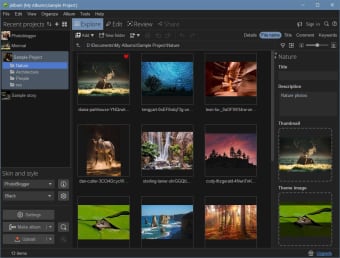
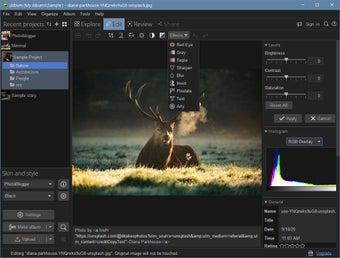
Although the interface feels a little crowded it will provide a good way of exploring your folders for pictures and quickly selecting the ones you want to put into your album. JAlbum also includes a good set of editing tools to tweak your pictures a bit, like removing red eyes, blurring or sharpening.
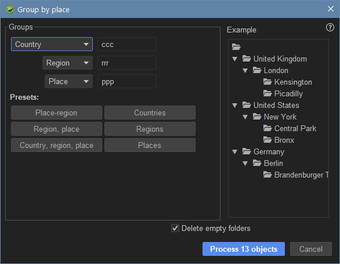
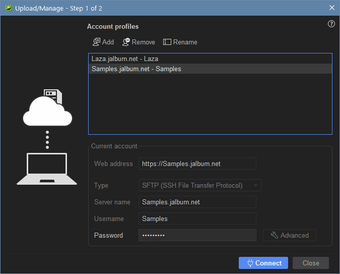
However the strongest feature of the application is certainly making albums. This is very easy to do and JAlbum comes with a number of styles to start out with. You can also download more skins from the developer's website. Once you're album is done, you can either upload it to your JAlbum account, if you have one, or to any other server if you have the login details.
With a good set of editing tools, and a straightforward process, the free JAlbum makes for a great way of creating photo albums to share with your friends.
Changes
News and Updates: Added new "jAlbum core update" external tool to simplify ad-hoc patches to jAlbum Mac version now signed with a code certificate in order to avoid warnings when launching jAlbum on OS X Mountain Lion Bug fixes: Failing to append xmp metadata to file would make jAlbum ignore file. Now file is written without xmp metadata for such cases. Uploading albums with updated images wouldn't include the updated images (broken since 10.10) jAlbum didn't handle in passwords properly jAlbum would show a "Do you wish to save changes" warning when moving between album projects while a skin was loading Several bug fixes to make jAlbum run properly on Java 1.7 for Mac Keyboard support wasn't working when running the full screen slide show on Mac and Java 7 Album objects (thumbnails) weren't rearranged correctly in the project window when having "Hide excluded" set IPTC metadata wasn't imported to xmp block if image already contained an xmp block The version number didn't show in the about dialog when using the Alloy look and feel








.webp)